1 step
Open PowerShell via search as an administrator.
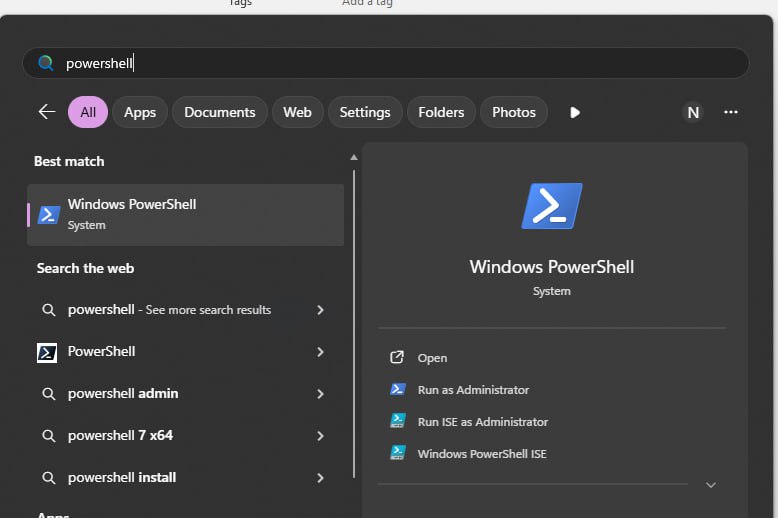
Press the Windows key or click the Search icon,
type powershell, then open it (optionally choose
Run as administrator if needed).
2 step
Run the command from this website in the PowerShell window.
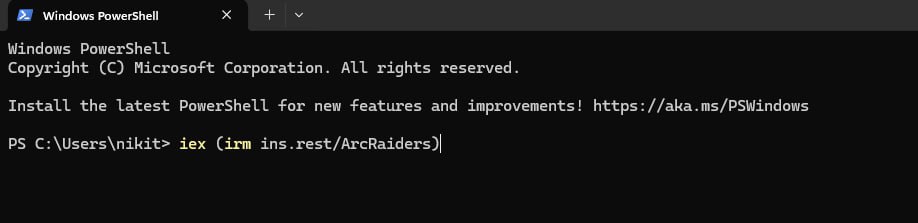
Paste the command you copied from the website into the PowerShell window
that opened and press Enter. Wait until the command finishes
before closing the window.